PINGEQUA
Flipper Zero Wifi Devboard - ESP32-S2 Black
Flipper Zero Wifi Devboard - ESP32-S2 Black
Couldn't load pickup availability
Wi-Fi Devboard · ESP32-S2
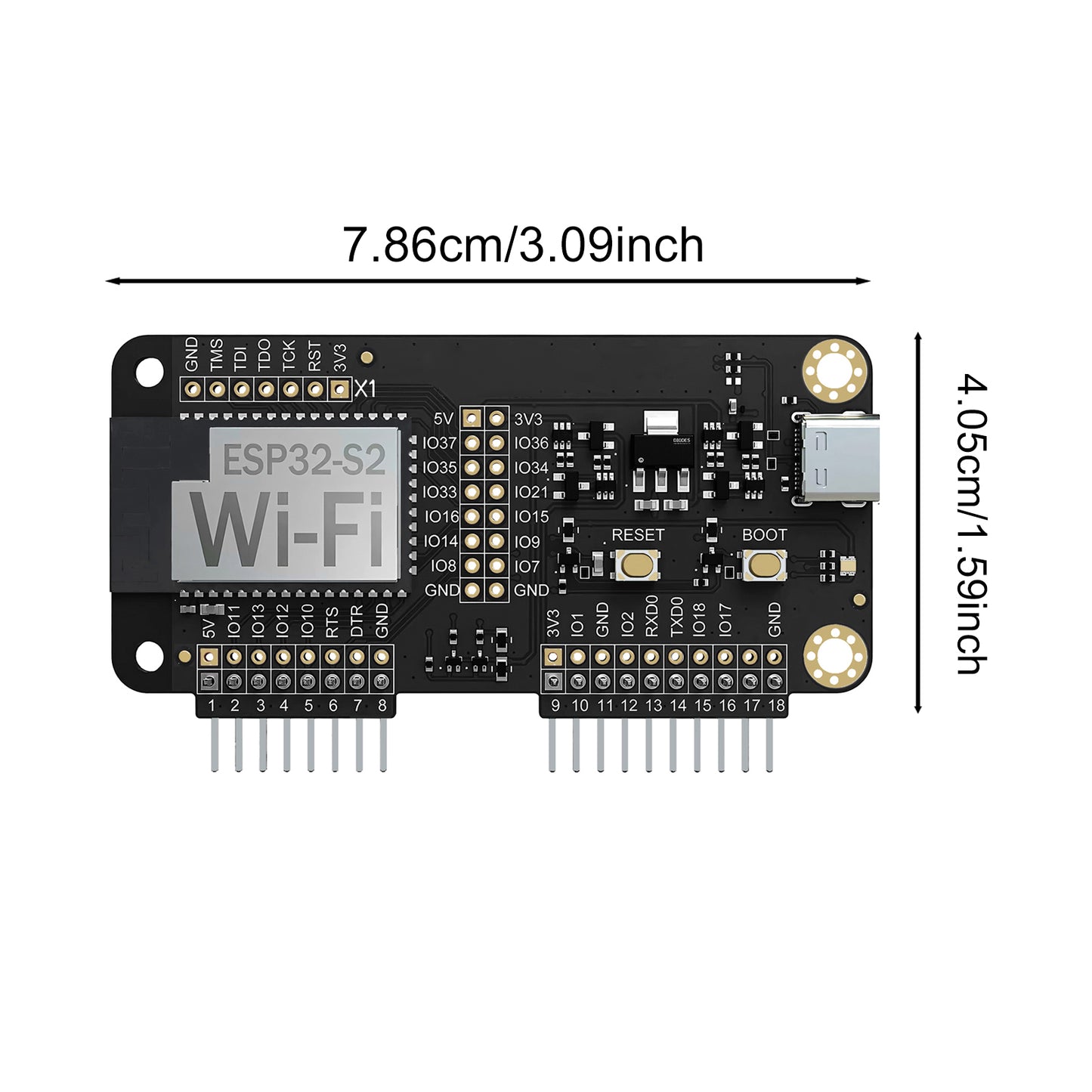
The proven 2.4 GHz Wi-Fi add-on for the Flipper Zero, shipped preloaded with ESP32 Marauder. Dock it on the GPIO header and start scanning. When an update lands, reflash it from your browser at flash.pingequa.com — no esptool, no Python, no fighting with COM ports.
- Pre-flashed Marauder. Dock on the Flipper and start auditing — no setup.
- Browser flashing. Update or recover from Chrome/Edge, no esptool or driver hunt.
- Full Wi-Fi toolkit. Scan, sniff, beacon, deauth, and PCAP capture on 2.4 GHz.
- Solid 18-pin fit. Gold GPIO header keeps the data bus reliable under load.
- Stealth matte black. Pocketable, matches the Flipper footprint.
- Need 5 GHz? See our 5Ghost BW16 board — this one is 2.4 GHz.
A 2.4 GHz Wi-Fi radio, driven by your Flipper.
The Flipper Zero has no Wi-Fi radio of its own. This devboard adds an ESP32-S2 running ESP32 Marauder, controlled from the Flipper over the GPIO UART link. Nothing runs on a laptop during use — the Flipper drives it.
│ Wi-Fi / Marauder companion app
│
▼ GPIO · UART (TX/RX) + 5V/GND
ESP32-S2 — preloaded Marauder
└─ 2.4 GHz radio · 802.11 b/g/n
Pre-flashed — dock it and go.
- Dock the board. Power off the Flipper, seat the devboard on the GPIO header in the correct orientation, power on.
- Open the Wi-Fi tools. Launch the Marauder / Wi-Fi app from your firmware's apps menu.
- Scan. The board is detected automatically and ready to scan, sniff, and capture.
Update Marauder in your browser — no toolchain.
The COM-port and "download mode" errors that trip people up with esptool are exactly what our web flasher handles for you. Update to a new Marauder build, or recover a bricked board, straight from the browser.
- Open the flasher. Visit flash.pingequa.com in Chrome or Edge on desktop (Web Serial). Select
Flipper WiFi Devboard. - Connect. Plug the board into your computer with a USB-C data cable, click
Connect, choose the port. Install the CH340 driver if your OS asks. - Flash. Choose
Marauderand clickFlash. It enters download mode automatically; if not, holdBOOT, tapRESET, releaseBOOT, reconnect.
Built for the Flipper Zero, every major firmware.
- Flipper Zero (GPIO / UART)
- Official firmware (Wi-Fi devboard tools)
- Momentum firmware
- Unleashed firmware
- ESP32 Marauder
- 5 GHz networks — ESP32-S2 is 2.4 GHz only (use 5Ghost BW16)
- Standalone use — the Flipper is the host
The numbers that matter.
| Radio | |
| Chipset | ESP32-S2 |
| Wi-Fi band | 2.4 GHz · 802.11 b/g/n |
| Interface | |
| Host link | Flipper Zero GPIO header · UART (TX/RX) + 5V/GND |
| Connector | 18-pin gold GPIO |
| Finish | Stealth matte black |
| Software | |
| Pre-flashed | ESP32 Marauder (browser re-flash available) |
| Firmwares | Official / Momentum / Unleashed |
| In the box | |
| Included | 1 × ESP32-S2 Wi-Fi devboard (preloaded) |
| Not included | Flipper Zero host device (shown for reference) |
What it cannot do, stated clearly.
- 2.4 GHz only. The ESP32-S2 has no 5 GHz radio — it physically cannot scan or attack 5 GHz networks. For that, use the 5Ghost BW16 board.
- PMF / WPA3 APs cannot be deauthed. That is 802.11w working as designed, not a fault of the board.
- App and firmware versions must match. A mismatched Marauder app and firmware is the usual reason a feature "does nothing."
Real questions, straight answers.
Q.01My PC shows one or no COM port — I can't flash Marauder.
Skip the desktop toolchain. Use flash.pingequa.com in Chrome or Edge (Web Serial): select Flipper WiFi Devboard, choose Marauder, and flash. It handles the boot/reset timing for you. Use a USB-C data cable and install the CH340 driver if prompted.
Q.02The Flipper doesn't detect the board.
Power off, re-seat the board fully on the GPIO header in the correct orientation, power on, and open the Wi-Fi app. Make sure both the Flipper firmware and the board firmware are current.
Q.03Does Marauder support 5 GHz on this board?
No. The ESP32-S2 is 2.4 GHz only. For 5 GHz Wi-Fi on a Flipper Zero, use the 5Ghost BW16 (RTL8720DN) board.
Q.04Deauth / testing doesn't work on my network.
It usually depends on the target's protections (PMF / WPA3), the channel, and whether your Marauder app and firmware versions match. PMF/WPA3 networks are deauth-immune by design.
Q.05How do I update Marauder?
Go to flash.pingequa.com, select Flipper WiFi Devboard, and flash the latest build in your browser. No install required.
Q.06Does it work without a Flipper Zero?
No. It is a companion module — the Flipper Zero is the host and is not included in this listing.
Shipping & Delivery
Shipping & Delivery
We ship globally. Orders are typically processed within 48 hours. Estimated delivery: 7-15 business days depending on your region.
Warranty & Returns
Warranty & Returns
14-day return policy for unused items. Our hardware is backed by a limited warranty against manufacturing defects. (Note: Damage from improper flashing or overvoltage is not covered).