
Por qué las apps de escáner nRF24 ponen la pantalla en negro en las placas PINGEQUA 2 en 1 de doble chip para Flipper, y cómo lo solucionamos
Un escáner de canales nRF24 genérico puede dejar en negro la pantalla de un Flipper Zero a mitad del escaneo en placas 2 en 1 de doble chip — esta es la causa en el arbitraje del bus SPI, y la solución que lanzamos en RF Lab.
furi_hal_spi_bus_handle_external y llevando siempre a alto (high) el CSN del chip inactivo antes de cualquier acceso. Es un .fap gratuito y de código abierto creado para la placa PINGEQUA 2-in-1 nRF24 + CC1101 RF Devboard.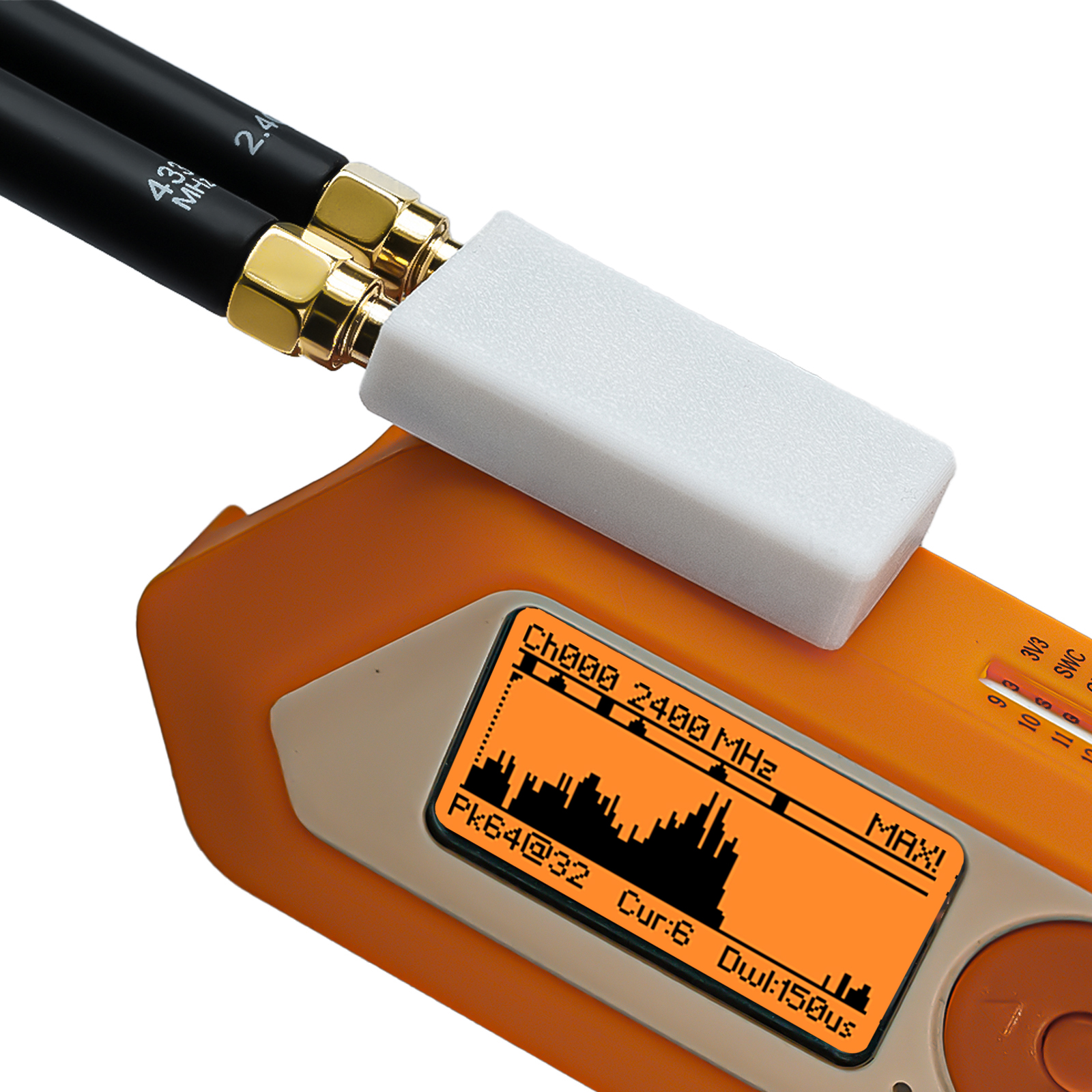
El síntoma
En una placa de doble chip, iniciar un escáner de canales nRF24 de terceros y comenzar un escaneo de señal puede dejar en negro la pantalla del Flipper a mitad del proceso.
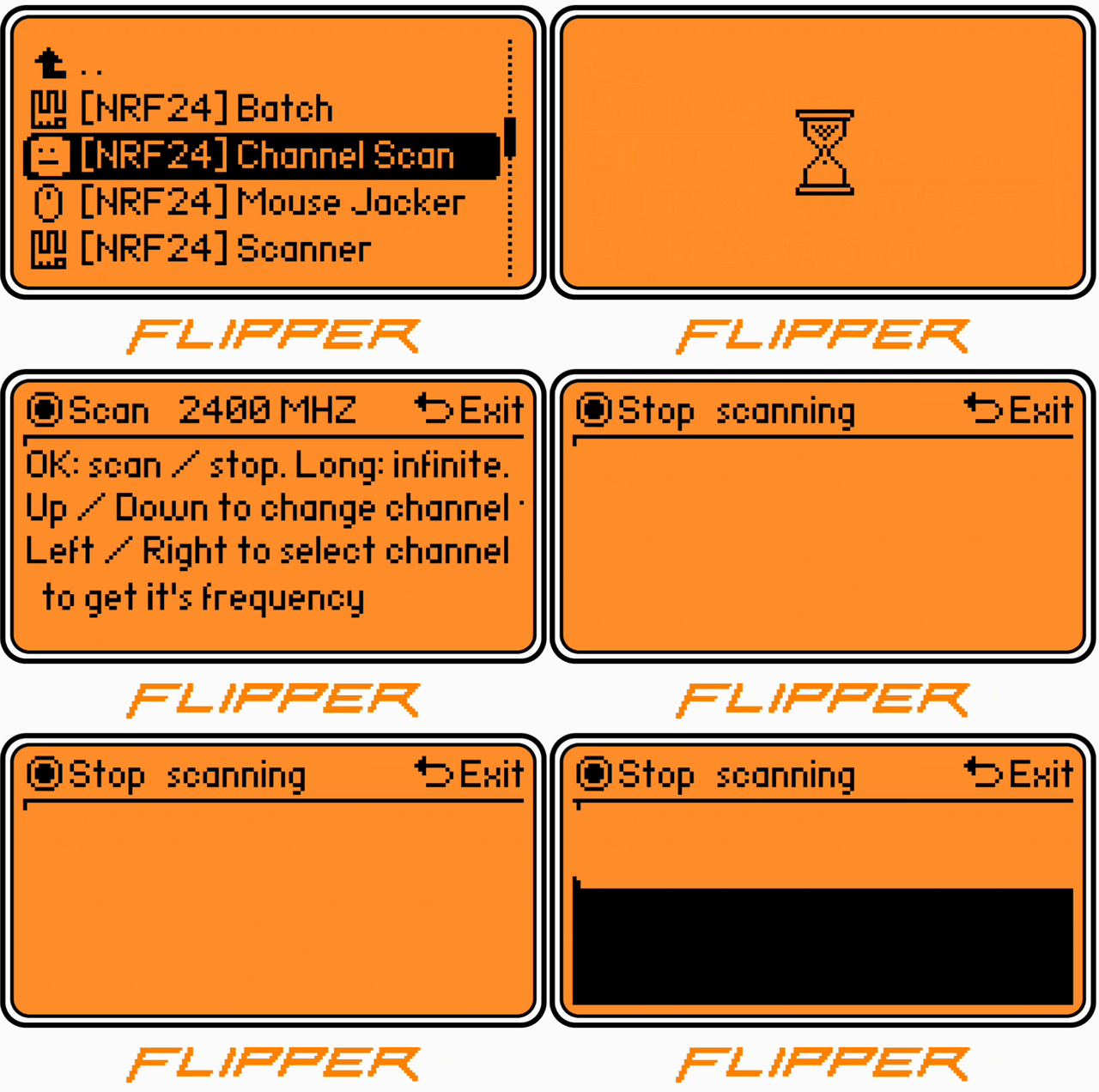
Esto no es exclusivo de nuestro hardware. La app nRF24 de la comunidad con más forks tiene un informe abierto que describe la misma clase de fallo:
«la pantalla a veces se pone completamente en negro durante unos 5 segundos durante el escaneo. Si se reduce el tiempo de escaneo, el apagón se observa con más frecuencia.»
— flipperzero-nrf24 issue #15, abierto desde 2022
Por qué afecta más a las placas de doble chip
Una placa 2 en 1 conecta el nRF24 y el CC1101 en paralelo en un mismo bus SPI, seleccionados por software mediante la línea CSN dedicada de cada chip. Un escáner escrito para un único nRF24 solo controla su propia CSN — nunca deselecciona el segundo chip. Ambos chips pueden entonces responder a la vez en el bus compartido, y un escáner que retiene el bus SPI de forma continua puede dejar sin recursos a la tarea de actualización de pantalla. El resultado que ves es una pantalla en negro.
No somos los únicos en señalar esta carencia de las apps heredadas — hasta nuestras propias notas de producto advierten que las aplicaciones heredadas pueden tener definiciones de pines codificadas de forma fija, y recomiendan apps con un manejo adecuado de GPIO/SPI.
Por qué reescribimos en lugar de parchear
Parchear las peculiaridades de un solo fork no resuelve el problema subyacente de arbitraje del bus, y no sobrevive a la siguiente actualización de firmware. Por eso, a principios de 2026 reconstruimos el toolkit sobre el Furi SDK oficial — sin símbolos privados de ningún fork, un único árbitro SPI limpio.
Qué cambió
-
Árbitro SPI de handle único — cada transacción pasa por un único handle de bus (
furi_hal_spi_bus_handle_external), el mismo que incluye cualquier firmware. - El chip inactivo siempre queda deseleccionado — antes de cualquier acceso, la CSN del otro chip se lleva a alto. El bus nunca queda en estado ambiguo, así que la pantalla nunca se queda sin recursos.
- Un solo .fap, cualquier firmware — funciona en el firmware oficial de Flipper (OFW), Momentum, Unleashed, RogueMaster y Xtreme. Sin recompilar.
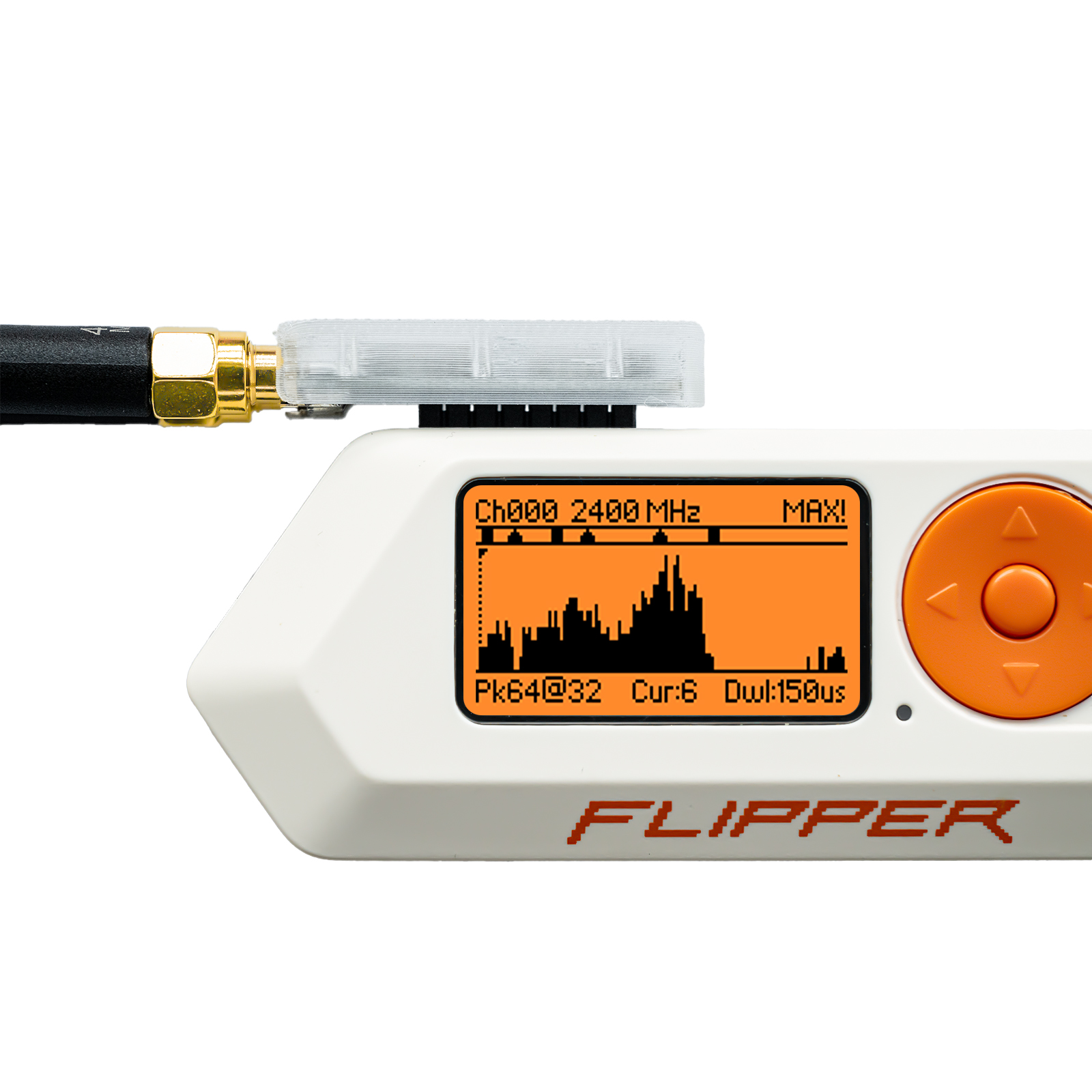
Historial de versiones y compatibilidad de firmware
Qué cambió en cada versión
| Versión | Qué aportó |
|---|---|
| Reescritura sobre el Furi SDK (principios de 2026) | Reconstruido sobre el Furi SDK oficial; handle de bus SPI único (furi_hal_spi_bus_handle_external); la CSN del chip inactivo siempre se lleva a alto antes de cualquier acceso. |
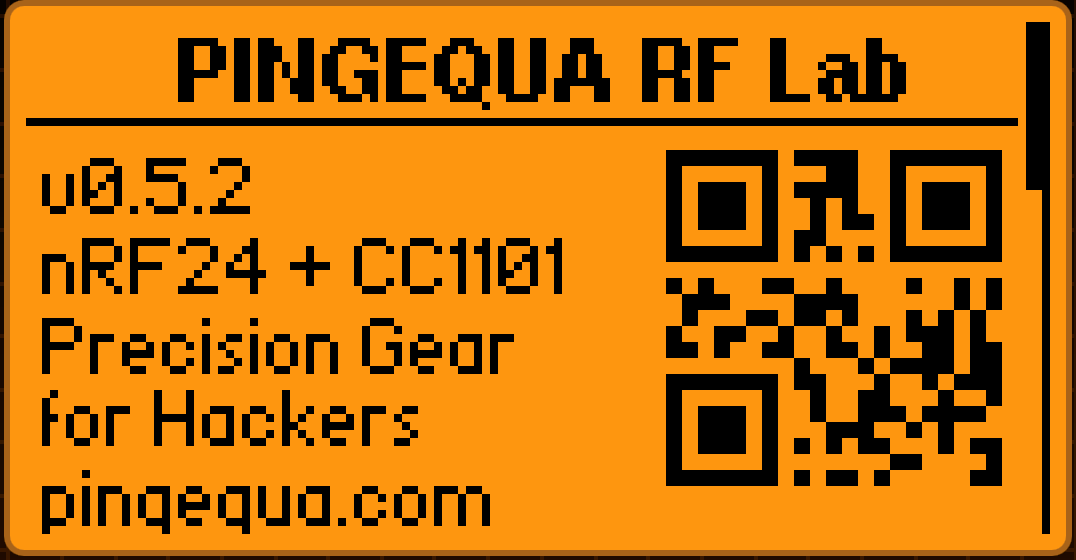
| v0.5.2 | Nombres de archivo de exportación legibles (p. ej. scan_2026-05-15_143022_ch42.csv); pantalla «Acerca de» en el propio dispositivo con códigos QR escaneables hacia la tienda y el repositorio de código fuente. |
| RF Lab v0.5.4 (2026-06-12) | Añade un generador de señal de 2,4 GHz solo para pruebas autorizadas; potencia de salida deliberadamente limitada para cumplir con FCC §15 / ETSI EN 300 328. |
Compatibilidad de firmware
| Firmware | Notas |
|---|---|
| Firmware oficial de Flipper (OFW) | API mínima ≥ 87.1 |
| Momentum | Compatible, sin recompilar |
| Unleashed | Compatible, sin recompilar |
| RogueMaster | Compatible, sin recompilar |
| Xtreme | Compatible, sin recompilar |
Se distribuye como un único .fap de ~44 KB que cubre los cinco firmwares de destino de fábrica.
Véelo en acción
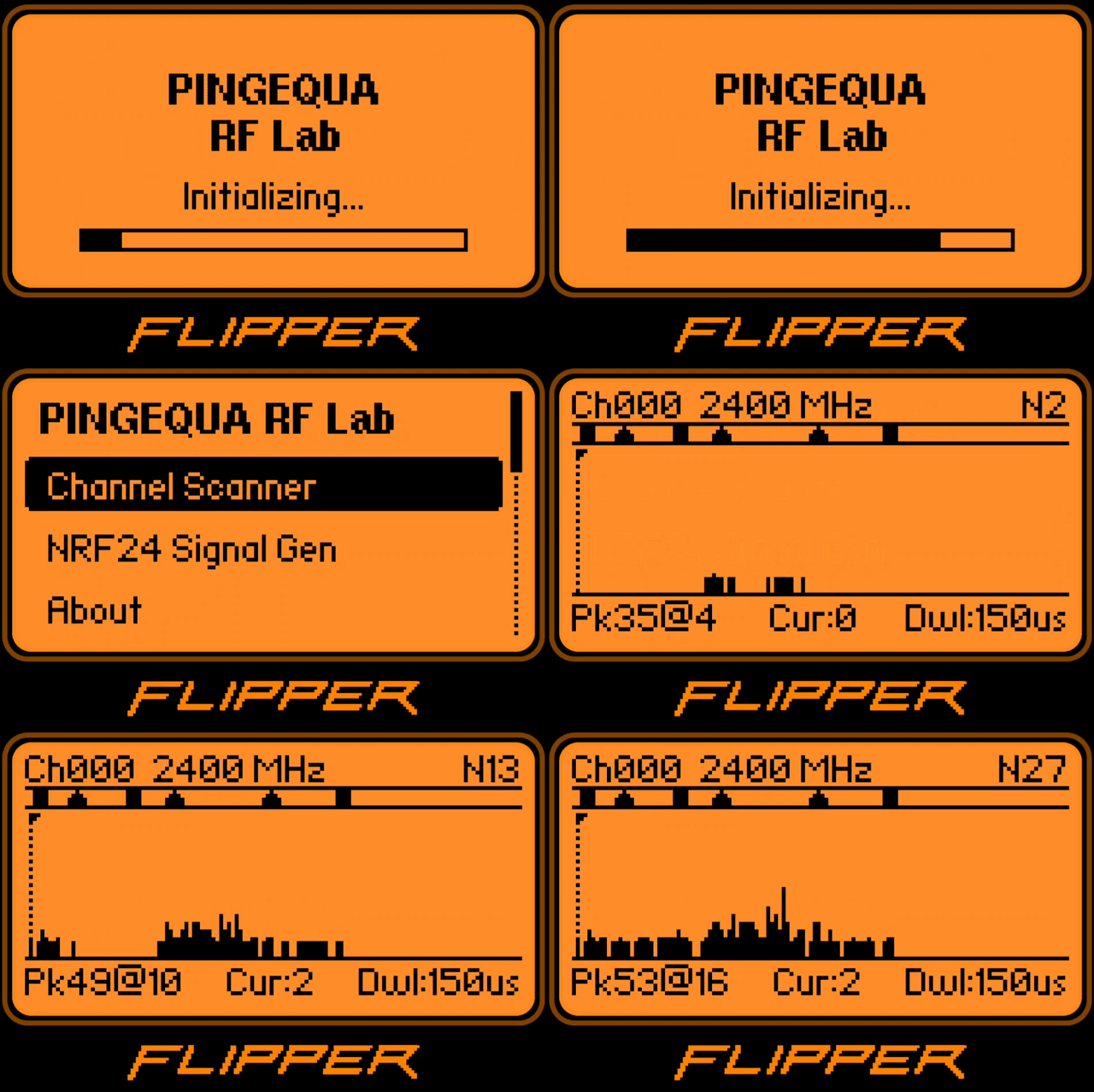


Pruébalo en tu equipo
- Descarga
pingequa_rf_toolkit.fapdesde GitHub Releases - Arrástralo a
/ext/apps/GPIO/en qFlipper - Ábrelo desde
Apps → GPIO → PINGEQUA RF Lab
Sin remapeo de GPIO, sin configuración específica por firmware.
Lo que viene después depende de ti
La hoja de ruta de v0.6 está abierta. ¿Quieres una vista de espectro Sub-GHz, un barrido de doble banda o presets de escaneo personalizados? Abre un issue — la próxima versión se construye a partir de lo que la gente realmente pide.
Hardware abierto. Código abierto.
nRF24L01+PA y CC1101 en un único bus SPI — para el Flipper Zero.
Descargar el FAP (gratis) Consigue el hardwarePreguntas frecuentes
¿Por qué las apps de escaneo nRF24 genéricas dejan la pantalla en negro en placas 2 en 1 de doble chip?
Mi pantalla se pone en negro durante un escaneo — ¿está roto mi módulo nRF24?
¿Qué versión de la app soluciona el problema de la pantalla en negro, y cómo se solucionó?
¿Puede RF Lab transmitir, o es solo de recepción?
¿Funcionará esto en mi firmware sin recompilar?
Fuentes y lecturas adicionales: flipperzero-nrf24 #15 · Documentación del Furi SDK de Flipper
PINGEQUA RF Lab es un FAP de código abierto (licencia MIT) para Flipper Zero, creado para la PINGEQUA 2-in-1 RF Devboard (nRF24L01+ + CC1101) — código fuente: github.com/pingequalab/rf-lab. Su modo generador de señal es exclusivamente para pruebas de RF autorizadas y uso educativo, con la potencia de salida limitada para cumplir con FCC §15 / ETSI EN 300 328; PINGEQUA es un fabricante de hardware independiente y no está afiliado a Flipper Devices ni a los proyectos de firmware/apps de terceros mencionados anteriormente (OFW, Momentum, Unleashed, RogueMaster, Xtreme; flipperzero-nrf24).